
Writing Chords and Melody, The Modern Way - Captain chord and Captain melody
Time have changed in the way that music is written, We have had helpers and guide for decades now, Like the FL Studio ghost notes since version 6, Logic 8 introduced a chord plugin allowing us to trigger chord progressions we make with a single key. Native Instruments took it a step further with the NKS and Kontrol keyboard serise building in the ability to limit the keys to a set scale and chord progression.
But now were is a stage of smart plugins, They do not just limit and avoid mistakes but actully understand a relate to the BPM, the progression and the rhythm for the music.
While Captain chords will quick assist you in creating the chord progression and foundation, Of your track, Captain Melody helps you write memorable melodies in your DAW. How to write melodies over chord progressions, is no longer a question but a quick process. The two tools work hand in hand to produce a cohesive plugin set that reads what the other is doing to make the end result as pleasing and usable as possible.
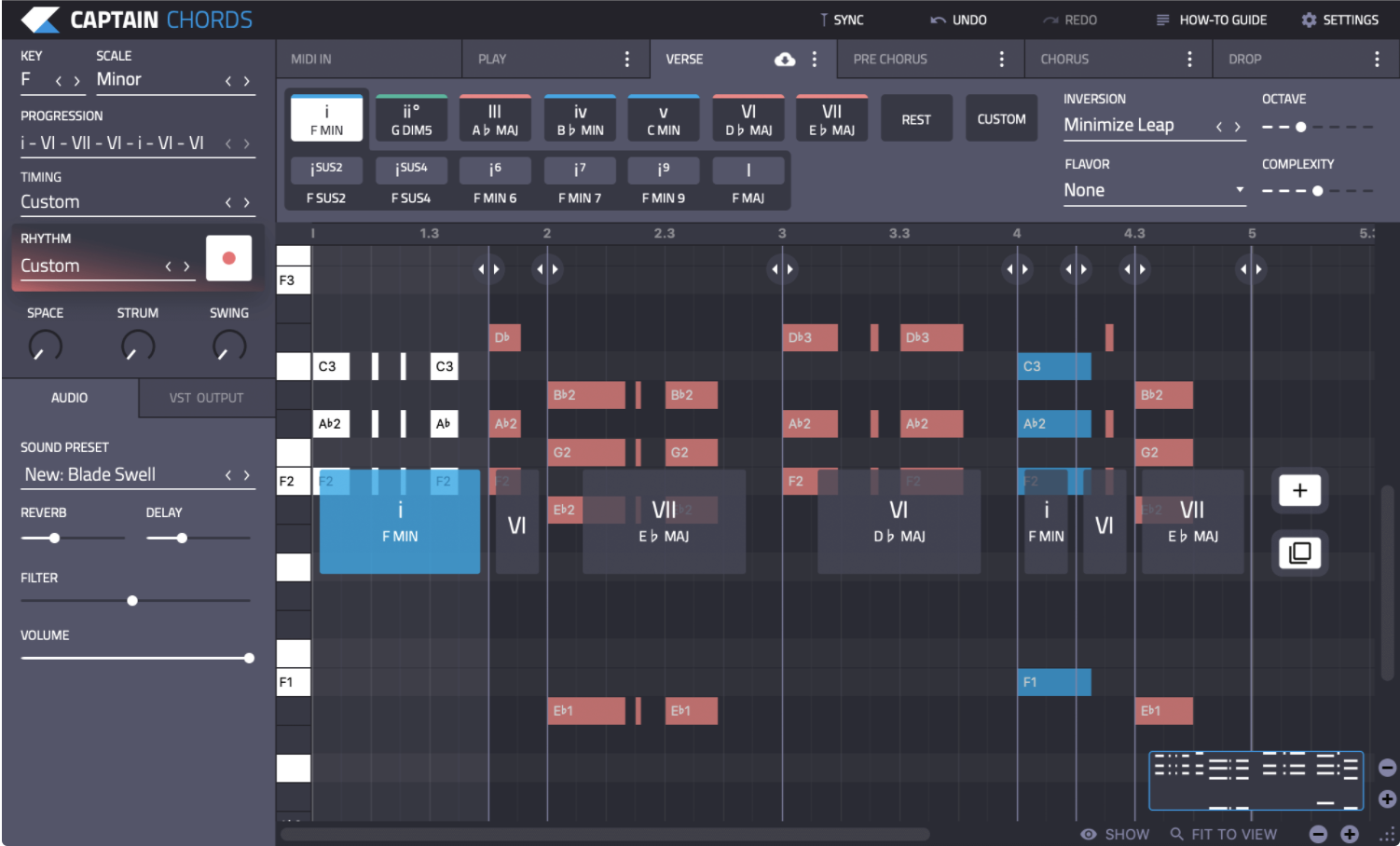
Captain chords lets you write chord progressions in any Key and Scale. Captain Chords will help you build your own chord progression from scratch, and discover the sound of different chords.
You can automatically Minimize the Leap, choose inversions, add 7th, 9th or suspended chords. You can add passing chords, and add more complexity to each chord by adding more notes.
Apply rhythms to your chord progressions. There are 100+ rhythms in Captain Chords. Some are basic (like “play on the Offbeats”), and some are super sophisticated.
You’ll have access to rhythms that were used in numerous #1 hits because they sound great. We aren’t going to tell you what they are, but we included them in Captain Chords. Try to find them. Get inspired and write a better chord progression, Build your chord structure, then add style by tapping out your own unique rhythms. You can use your computer or MIDI keyboard to generate your rhythms. Apply different quantization settings, overdub and spot record to perfect your progression.
Great for learning theory as you go.
Use your MIDI keyboard to play any notes you want. Captain will add them to your progression.
Combine your piano with your Computer Keyboard and Mouse. You can mix-and-match both ways of making chords to speed up your workflow.
Capture Your Performance and Improve It
Captain Melody gives you the tools to express your own ideas and write great melodies. You can create, edit and re-shape your own melodies to make them as memorable as possible.
Do you want to write a hit track? You’ll need a memorable hook. Captain Melody inspires you to write hooks you never could on your own.
For example, David Guetta wrote the melody and chords for this remix using Captain Chords and Captain Melody.
With Captain Melody 3.0 you’ll gain access to 6 songwriting tools that are unlike anything else on the market.
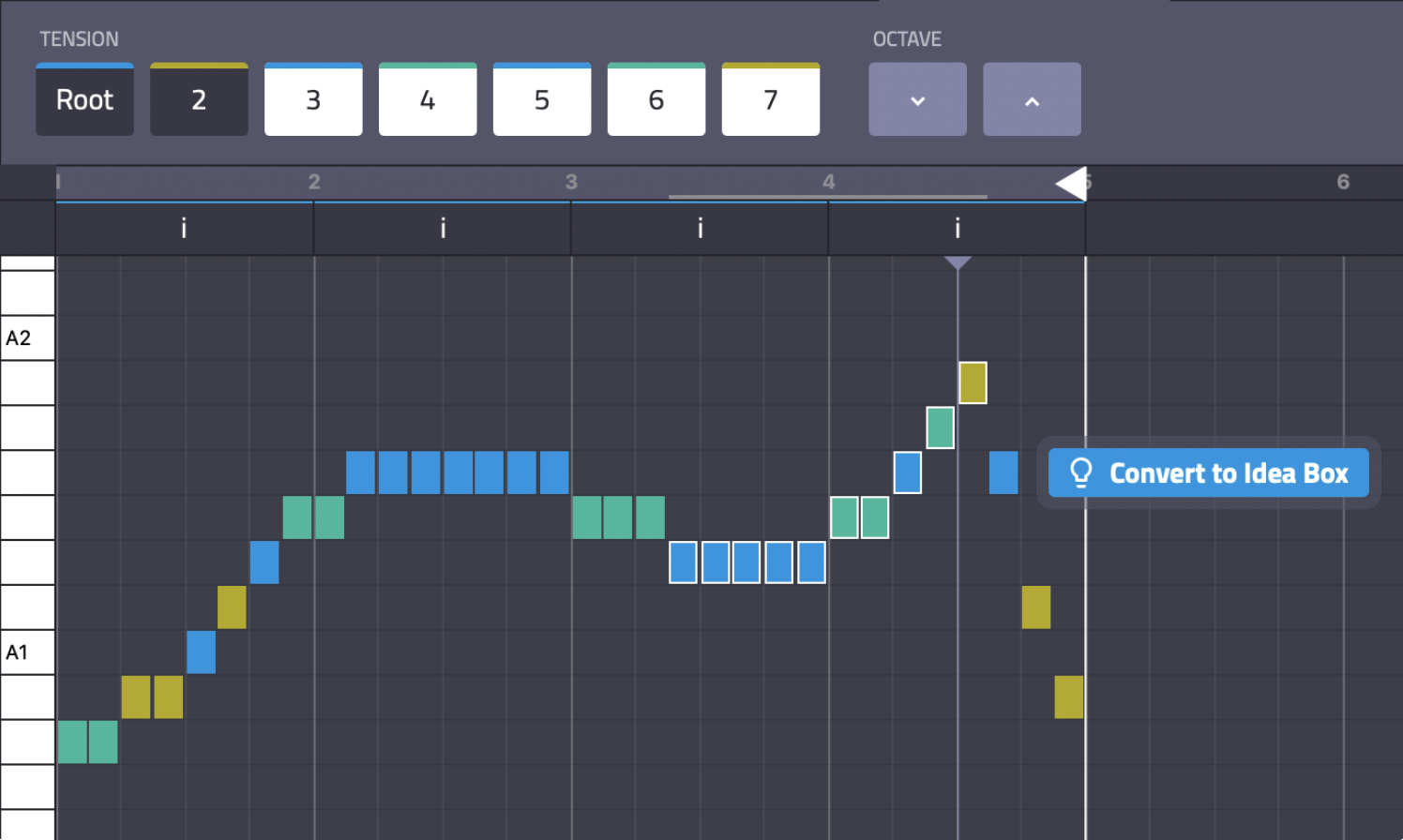
You can edit MIDI notes inside the plugin. It’s like a mini-DAW running inside your DAW. You can edit your melody and see how it affects the harmonic tension with your chord progression created in Captain Chords.
Blue notes represent the most consonant chord tones, while green adds a bit more flavor and yellow provides the most tension. This x-ray vision into chord tension is a great way to develop your own musical palate and see what works best for you.
Connect With Captain Chords
When you update Captain Chords, you’ll see an updated Tension map in Captain Melody. You will see the relationship between different parts that you’ve written.
Melody writing is easier when it fits the harmony. We thought about that, and made these plugins great at getting along with each other.